Your Guide: How to Use a Noon Discount Code from Saudi Arabia
Follow these quick and easy steps to apply your Noon coupon and save on your next purchase in Saudi Arabia.
let’s get started!
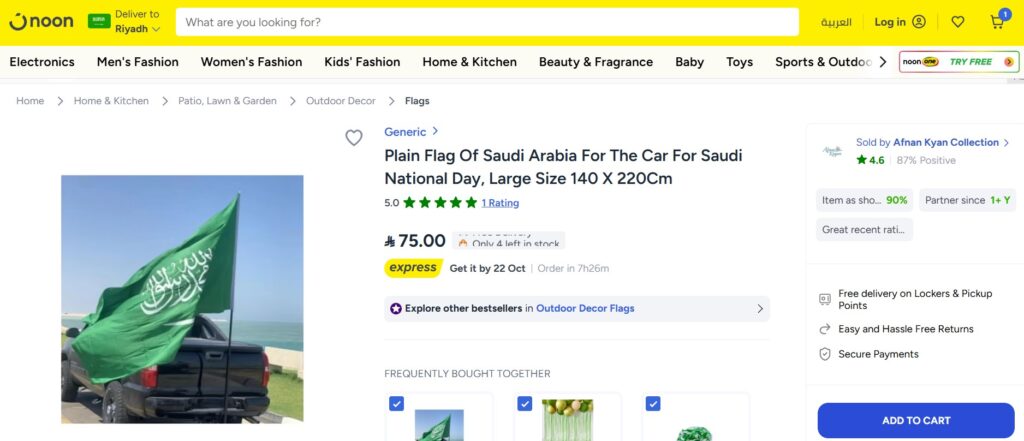
Step 1: Select the Product!
First, choose the product you want to buy from Noon Saudi Arabia.
For example, let’s say you want to purchase the Saudi Arabia National Flag for your car.
Click on the product to open its page.
Step 2: Add to Cart
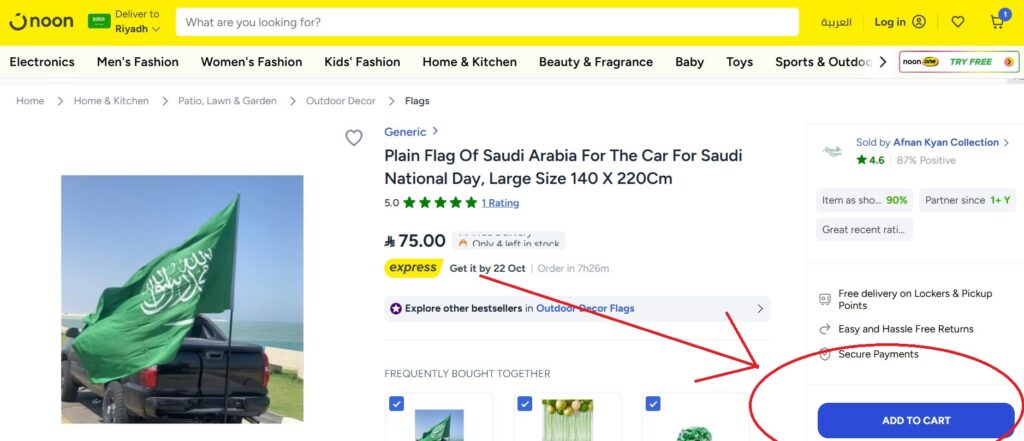
Once you’re on the product page, click the “Add to Cart” button.
After that, you can either continue shopping or proceed to checkout by clicking the cart icon at the top of the page.
Step 3: Unselect Extra Products
Sometimes Noon automatically adds suggested items to your cart.
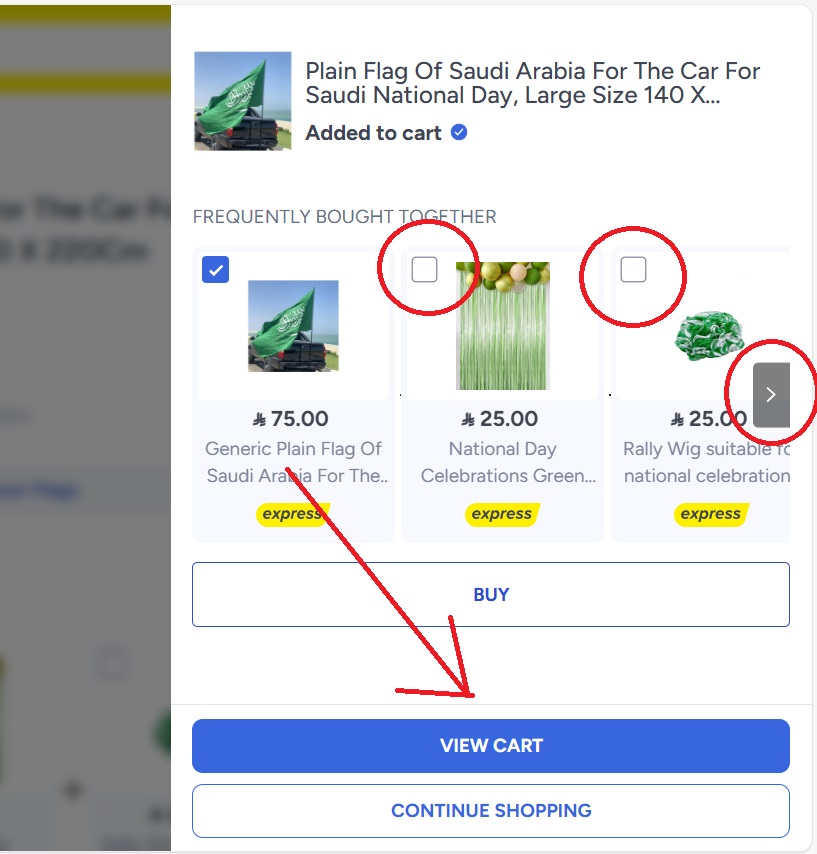
Make sure to check carefully and remove any unnecessary products before proceeding to view cart.
This ensures you’re only paying for what you actually want to buy.
Step 4: Go to Checkout
Click on your cart and then hit the “View Cart” button.
You’ll be asked to log in or sign up if you haven’t already.
Make sure your shipping address and delivery method are correctly filled in.
Step 5: Enter the Noon Discount Code
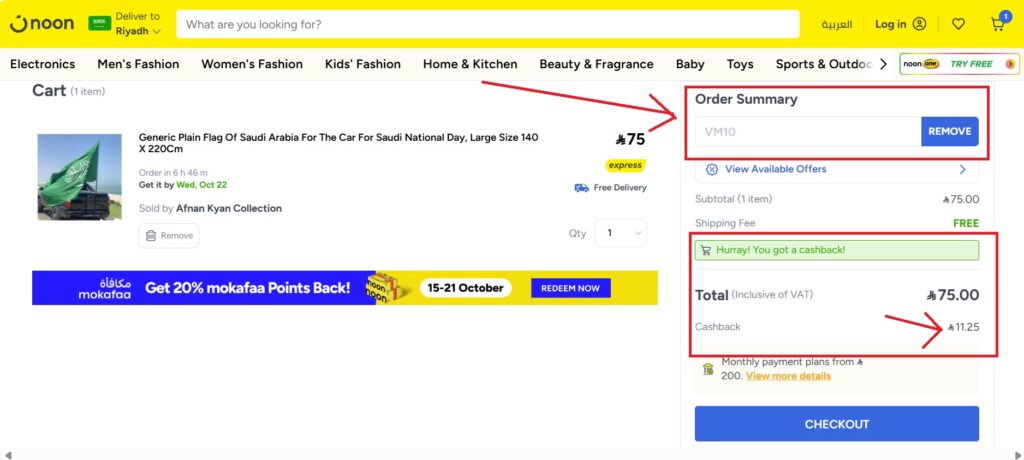
On the checkout page, scroll to the section labeled “Coupon Code” or “Discount Code.”
Enter the code VM10 and click “Apply.”
You’ll see the discount applied instantly to your total.
Step 6: Confirm and Place Your Order
Double-check your shipping address and delivery method.
If everything looks good and your discount is applied, go ahead and select your payment method.
Click “Place Order” to complete your purchase.
🎉 Done! You’ve successfully used the Noon coupon code and unlocked potential cashback savings.